Meetings that
move work.
Join directly, or start your own. No account needed unless your meeting needs a private Room to remember its work.
Or open My Rooms


Built for the size of the room
Five hundred people.
One calm room.
Most platforms buckle long before the room is full, and the ones that do not are priced for somewhere else. A partner forum, an all-staff, a town hall — the whole company can be in one meeting.
Everyone is granted the right to speak. What is capped is how many send video at the same moment — five hundred cameras is about 850 Mbps of ingress, and pretending otherwise is how a meeting falls over ten minutes in.


Four ways in
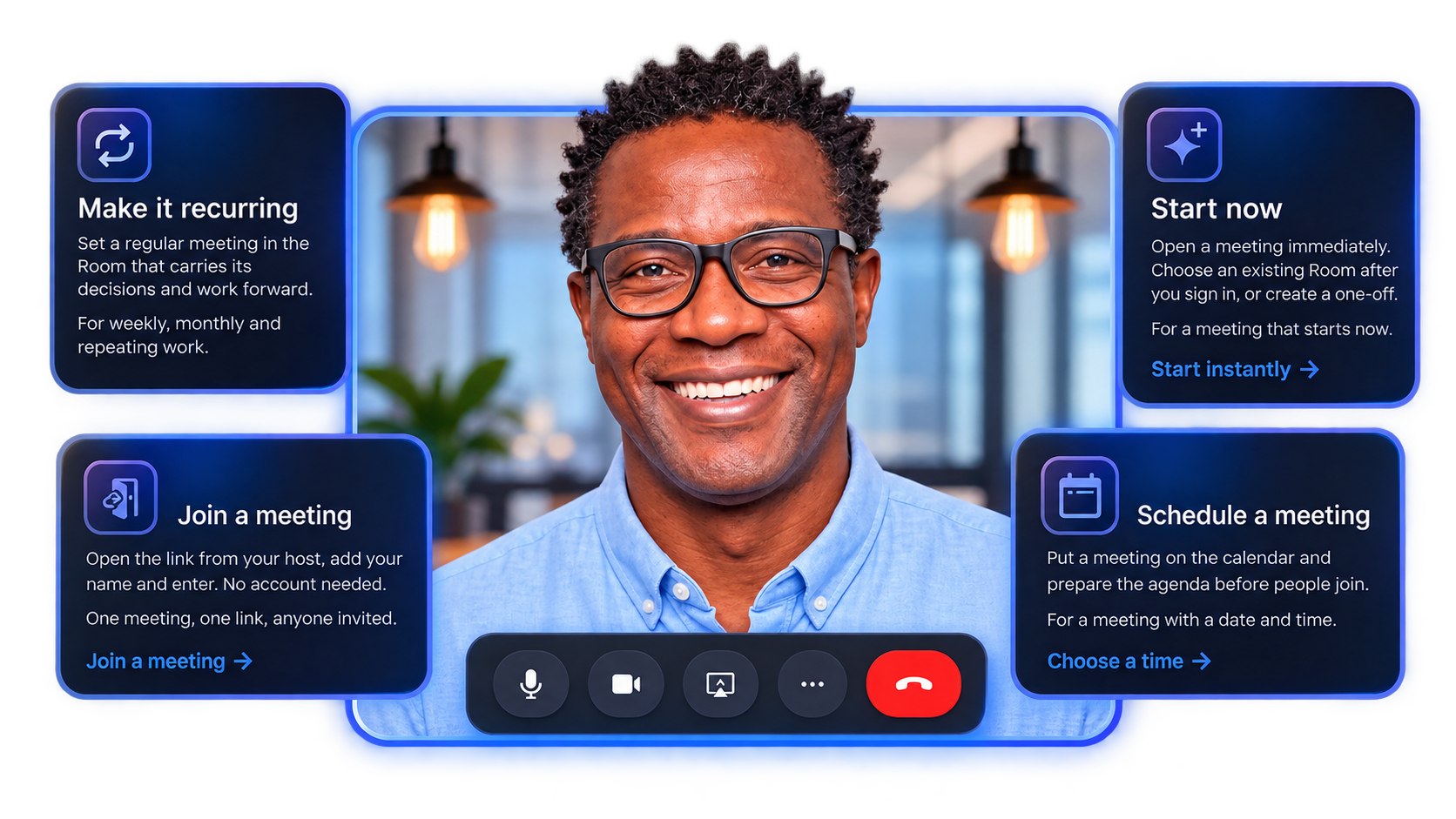
Start or join a meeting
Joining is open to anyone with an invitation. Starting is available from here; we only ask you to sign in when it needs a private Room.


Your workspace
Your Rooms, when work needs to continue
My Rooms is a private workspace for the Rooms you belong to: their people, agendas, calendar, history and follow-through.
Open My Rooms → Every voice, attributed
The human part is the point
Keep the conversation.
Carry the work forward.
Whisper Rooms is made for the moment people look up from a meeting and ask, "What did we agree, and who is taking it from here?"
- Join freely with a meeting link.
- Record a physical room with one shared device.
- Review names, decisions and next steps together.
Get in touch